Digital Samvaad Blog
How to Create a WhatsApp Broadcast List: A Free Way to Reach Your Old Customers with Offers
How to Create a WhatsApp Broadcast List: A Free Way to Reach Your Old Customers with Offers
Every day, new customers walk into a shop. But nobody knows when the customer who bought once will come back. From a big store to a small kirana shop, everyone needs the same thing: a way to reach old customers without writing the same message to each one separately.
The simplest and free way to do this is a WhatsApp Broadcast List. In this guide, we explain step by step what a broadcast list is, how to create one, and how to use it the right way for your shop — so that your offer reaches the right people, and your number does not get blocked.
What is a Broadcast List? How is it different from a group?
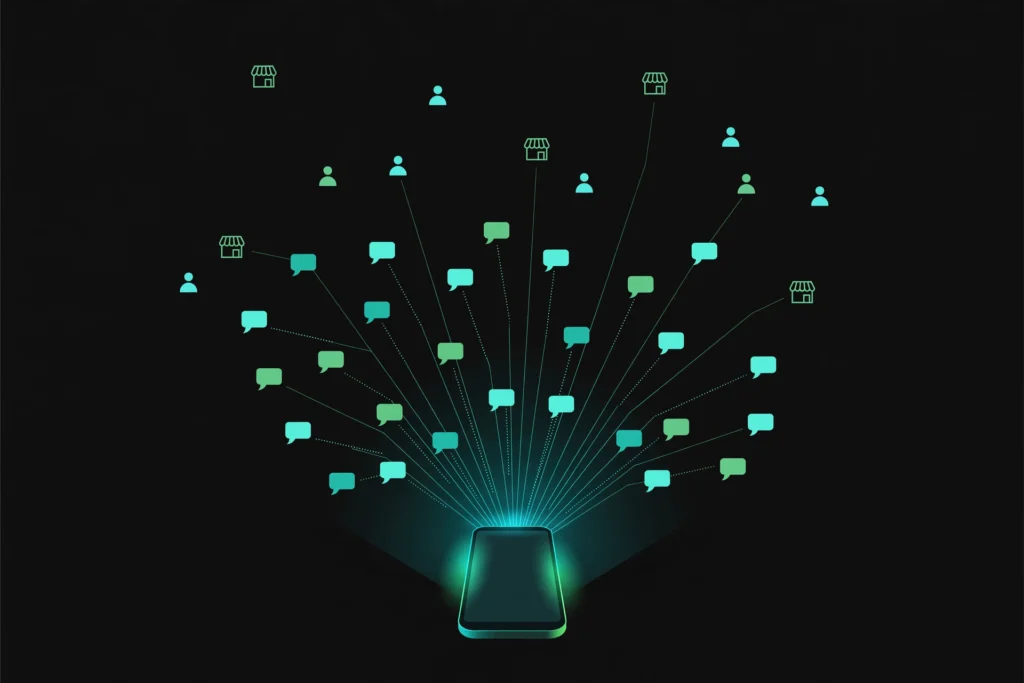
In a broadcast list, you write one message and it goes to many customers at once. Each customer receives it as if you sent it to them personally — they cannot see who else received it. And their reply comes only to you, not to the whole list.
The difference from a group is simple:
- In a group, everyone can see each other, and anyone can write anything. Customers’ numbers become visible to everyone.
- In a broadcast, every chat stays private. The customer feels the message was sent only for them — and that is what makes the offer work.
That is why a broadcast list is better for a shop: new stock has arrived, there is a festive offer, or the shop timing has changed — one message reaches all your old customers.
3 things to know before you start
Before you create a broadcast list, understand these 3 things — otherwise your message may not reach people even after you send it:
- You need the WhatsApp Business app. A broadcast list can also be made on normal WhatsApp, but the Business app is better for a shop — it gives you Labels, Catalog, and a Business Profile. The app is free; download it from the Play Store.
- The customer must have saved your number. This is the most important rule. If the customer has not saved your number in their phone, your broadcast message will not reach them — even if they are on the list. So ask customers to save your number when they pay the bill or when you first talk to them, and save their number too.
- One list can have up to 256 contacts. A single broadcast list can hold a maximum of 256 people. If you have more customers, make separate lists — for example “Old Customers”, “New Customers”, and “Festive Buyers”.
And one more important thing: send messages only to people who have said yes — meaning your customers, or people who gave you their number to receive offers. Sending messages to an unknown list can get your number blocked.
How to create a Broadcast List on Android (Step-by-Step)
- Open the WhatsApp Business app and go to the Chats section.
- Tap the three dots (⋮) on the top right.
- Select New Broadcast.
- Choose the customers you want to add — you can also search by name.
- Tap the green tick (✓) at the bottom — your list is created.
- Give the list a name, like “Diwali Customers” or “Regular Buyers”. The name is visible only to you.
- Type your message, add a photo if you want, and tap Send.
That is it — the message will reach every customer on the list in a separate, private chat.
How to create a Broadcast List on iPhone
- Open the WhatsApp Business app and go to the Chats tab.
- Tap Broadcast Lists at the top.
- Select New List at the bottom.
- Choose your contacts and tap Create.
- Type your message and send it.
One thing to remember: a broadcast list can only be created from your phone. You cannot create a list on WhatsApp Web or a computer — there you can only send messages from a list you already made.
Use Labels to make smart lists
The most useful feature of WhatsApp Business is Labels. With Labels, you can divide your customers into different groups:
- Go to Tools → Labels and create labels — like “New Customer”, “Old Customer”, or “Big Order”.
- Give each customer their label at billing time or while talking to them.
- When you want to send an offer, open the label and select Send business broadcast — the message will go only to customers with that label.
The benefit is simple: a new customer gets a “please visit again” message, and an old customer gets a “special offer” message — different messages, each reaching the right people.
What to send, and what not to send
A broadcast list does not mean you send offers every day. If you send too many messages, people will block your number. Follow this approach:
Good to send:
- New stock or a new collection has arrived
- A festive offer or sale (Diwali, Dussehra, wedding season)
- The shop timing or address has changed
- A personal message for a special customer, like “your favourite item is back in stock”
Do not send:
- The same offer every day
- “Good Morning” messages with no purpose
- Forwarded news from some other shop
The right time: send between 10–11 in the morning or 5–7 in the evening — that is when people check their phones. Do not send business messages after 9 at night.
Sample message:
“Hello! Our new festive collection has arrived — new designs in sarees, lehengas and suits. Visit us by this evening, browsing is free. — Dulhan Fashion, Ansari Road, Deoria”
A short message, one photo, and your shop’s name and address — that is all you need.
If your message did not reach, check these things
- Has the customer saved your number or not — this is the most common reason. Ask them to save your number.
- Are there more than 256 people on the list — if yes, split it into two lists.
- Are you sending from WhatsApp Web — create and send the list from your phone.
- Have you sent too many messages — if you send 4–5 broadcasts in a single day, WhatsApp can restrict your number.
What if you have more than 256 customers?
If you have more than 256 customers, or you want to schedule messages and see who read them, the free broadcast list will not be enough. Then there is the WhatsApp Business API option — with it, you can send template messages to thousands of opted-in customers, but Meta charges per message and it needs setup.
But the truth is: for most small and medium shops, the free broadcast list is enough. Start with this, and think about the API only when your list is full.
Final word
A broadcast list is not magic — it is only a way to stay in touch with your old customers. The real work is still what happens in the shop: good products, the right price, and remembering your customers. A broadcast only reminds them that you are still there.
Make your first list today — it takes 10 minutes. And if you want WhatsApp marketing, a Google listing, or a website for your shop, contact us.
Digital Samvaad — Digital Marketing Agency, Kushinagar
WhatsApp: +91 99199 41222 | Website: digitalsamvaad.com